
Documentation
Skene is one app for the whole show — compose music in the DAW, build live visuals, drive stage lighting and effects over DMX512, and perform it all live from the Arranger.
Welcome to the Skene user guide. Skene is a music and live-performance app for iPhone, iPad, and macOS that puts the whole show in one place: write the music, build the visuals, control the lights, and perform it all live — running together in real time.
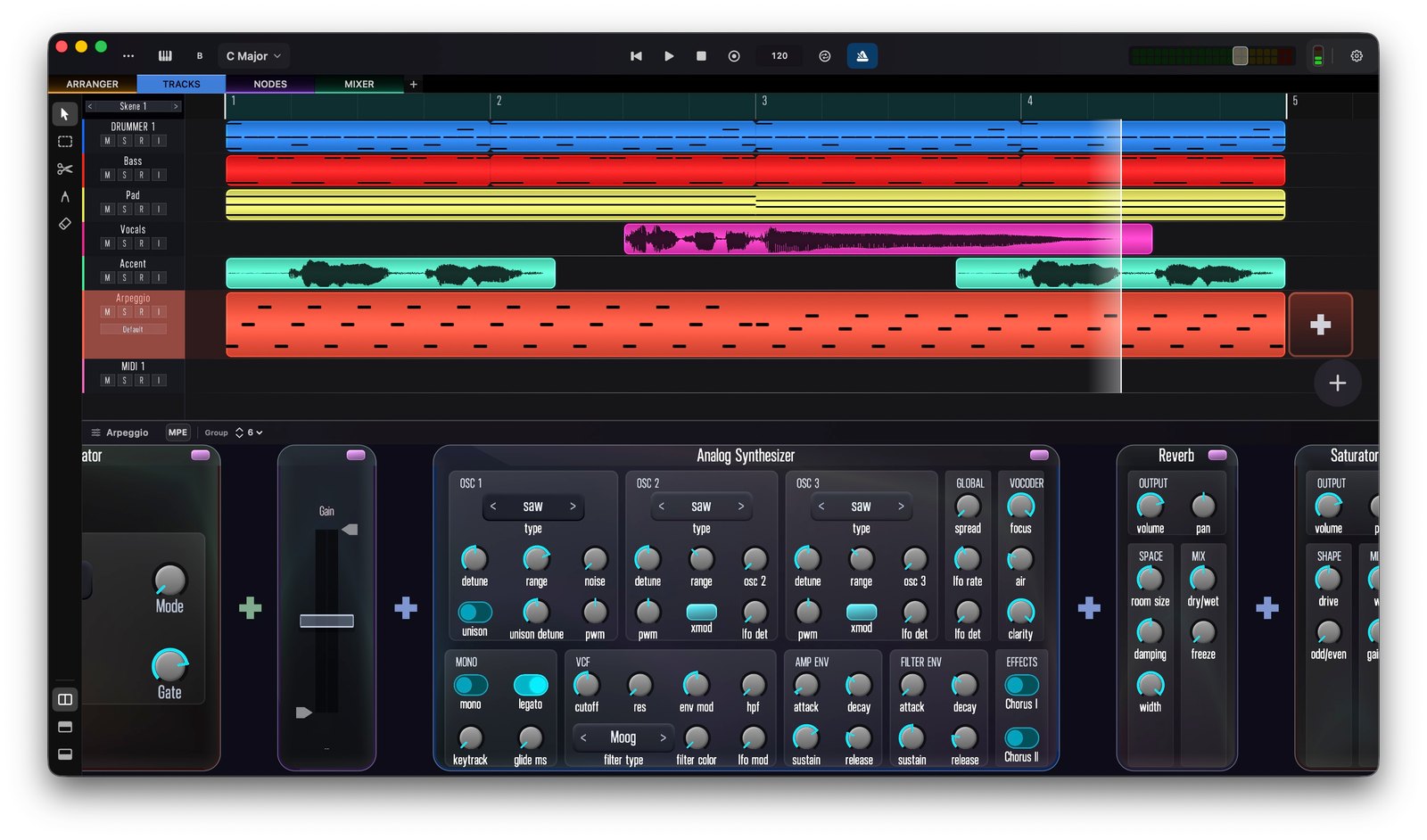
What Skene does
- Compose in the DAW view — a clip-based timeline of MIDI and audio tracks, each driven by its own instrument rack of built-in devices, AUv3 plug-ins, and effects. Full MPE expression lets every note bend, slide, and breathe.
- Build sound and visuals in the node graph — patch instruments, effects, modulation, and GPU visuals as connected nodes, so your graphics react to the music in real time.
- Light the room with DMX512 — drive stage lighting and any DMX fixture (LED bars, moving heads, even a fog or haze machine) over Art-Net or USB, from the same graph that makes your sound and visuals.
- Perform live in the Arranger — compose on the fly by launching your existing DAW tracks and scenes (we call them skenes) on the beat, remixing a set as you play.
Everything is connected: an audio level can move a light, a MIDI note can fire a visual, and a scene change can take the whole show with it.
This guide is written page-by-page and grows over time. Some sections are fully fleshed out; others are short notes that will expand. Work-in-progress areas carry a Work in progress badge.
Start here
- Getting Started — the main views and how to move between them.
- DAW View — the core timeline: tracks, clips, the piano roll, and the instrument rack.
- MPE — per-note pitch, slide, and pressure editing. Most iOS DAWs don’t have this.
- Node View — instruments, effects, modulation, visuals, and DMX lighting as connected nodes.
Also covered
- Controllers — the on-screen piano, pads, and chord strips, plus hardware MIDI controllers.
- Mixer and Arranger — mixing and live, scene-based arrangement.
- Tools — the audio recorder and pitch tuner.
- Component Reference — every node, grouped by category.
- Keyboard Shortcuts and AUv3 Support.
Platforms
Skene runs on iPhone, iPad, and Mac. Projects sync via iCloud, so you can start a session on one device and continue on another.