
MPE
Per-note expression — pitch, slide, and pressure for every note independently. A standout feature most iOS DAWs don't offer.
MPE (MIDI Polyphonic Expression) lets every note carry its own expression — its own pitch bend, its own timbre change, its own pressure — instead of one bend or modulation shared across the whole chord. It’s what makes a part feel played rather than programmed, and most iOS DAWs don’t offer per-note MPE editing. Skene does, both for live input and for drawing expression after the fact.
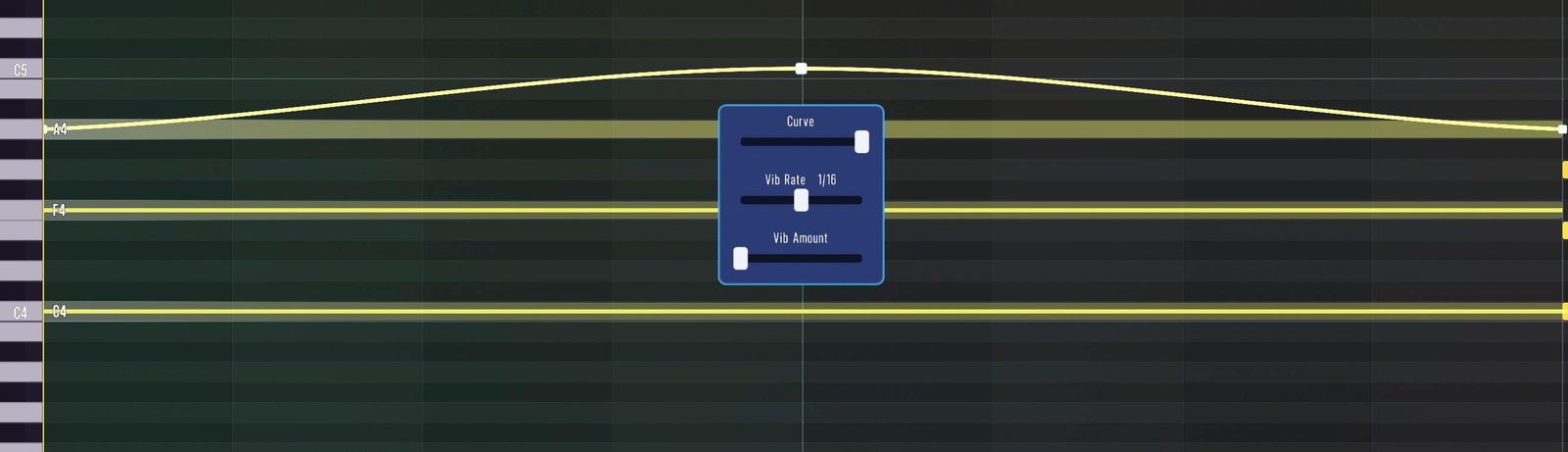
The three dimensions
MPE gives each note three independent dimensions of control:
- X — pitch (per-note pitch bend, for slides and vibrato)
- Y — timbre (by default the filter cutoff, MIDI CC 74)
- Z — pressure (by default mapped to velocity / dynamics)
With these you can add pitch bends, vibrato, swells, and timbral movement to individual notes inside a chord.
Recording and editing
You can perform MPE from a hardware MPE controller and from Skene’s own expressive pads, and you can draw and edit the expression curves per note directly in the piano roll — even tempo-synced vibrato — without hand-drawing every wiggle.
In this section
- Track Expression Mode — switch a track between Standard and MPE.
- Editing MPE Curves — draw per-note pitch, timbre, and pressure.
MPE works together with Key & Scale, so you can keep full expression while staying locked to a scale.