
Editing MPE Curves
Draw and edit per-note pitch, timbre, and pressure curves, including vibrato.
With a track in MPE mode, each note exposes editable X, Y, and Z curves so you can shape its expression over its lifetime.
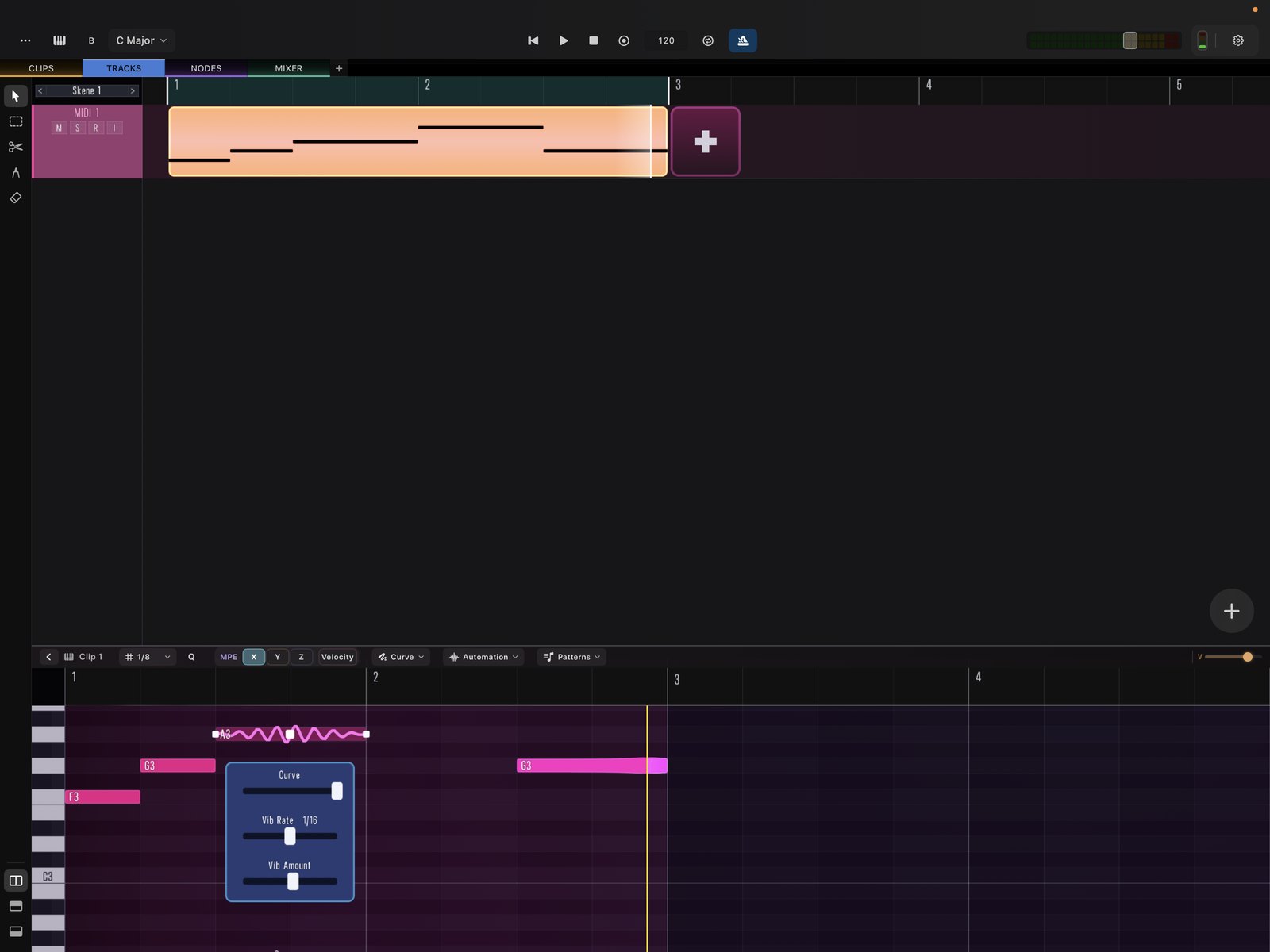
Default mappings
- X → pitch
- Y → cutoff (CC 74)
- Z → velocity
Drawing curves
Add data points to a note’s curve to shape how that parameter moves while the note sounds.
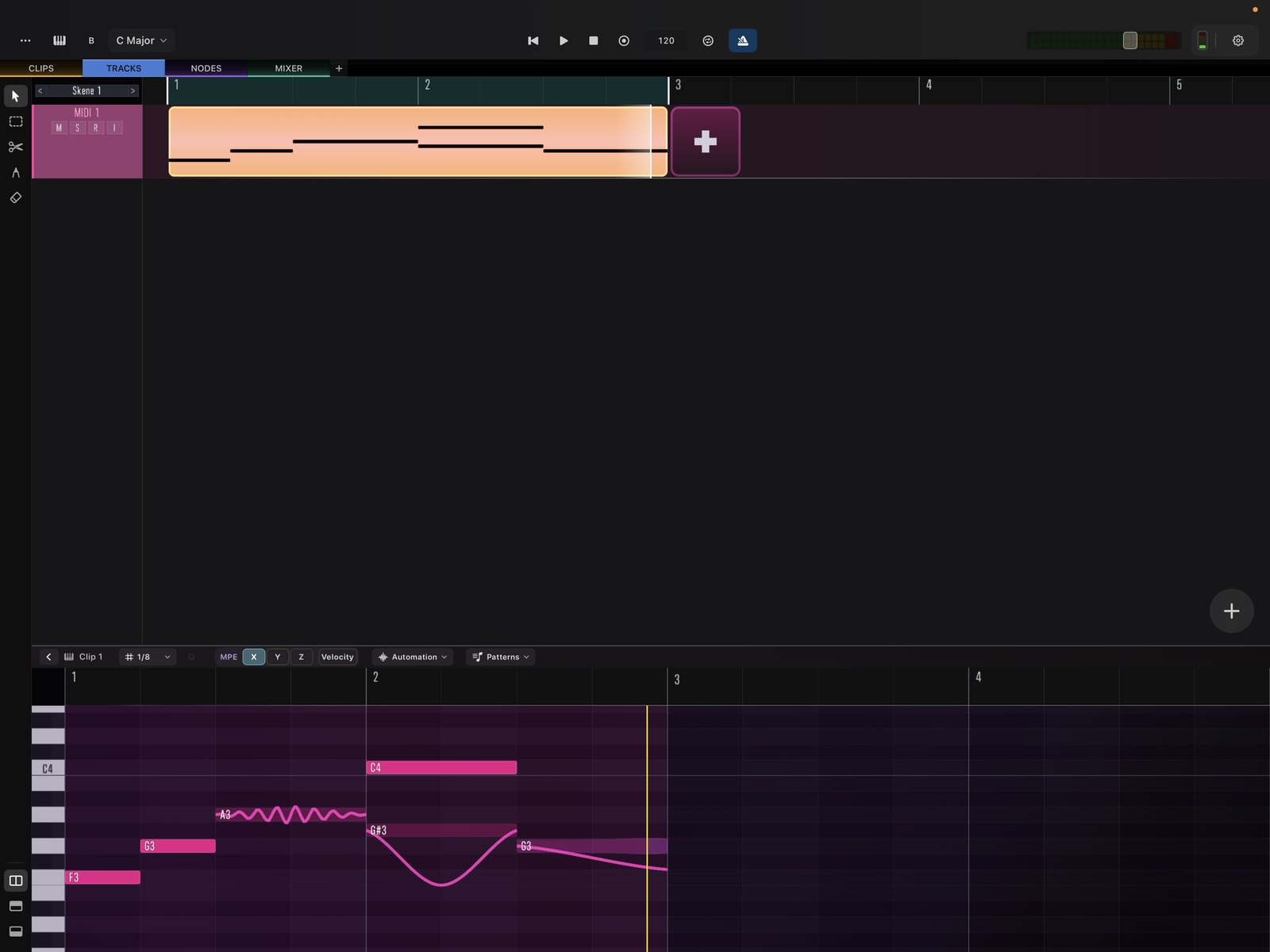
A few points are enough to create musical motion — for example a pitch curve with two edit points and a vibrato applied to a single note within a chord.
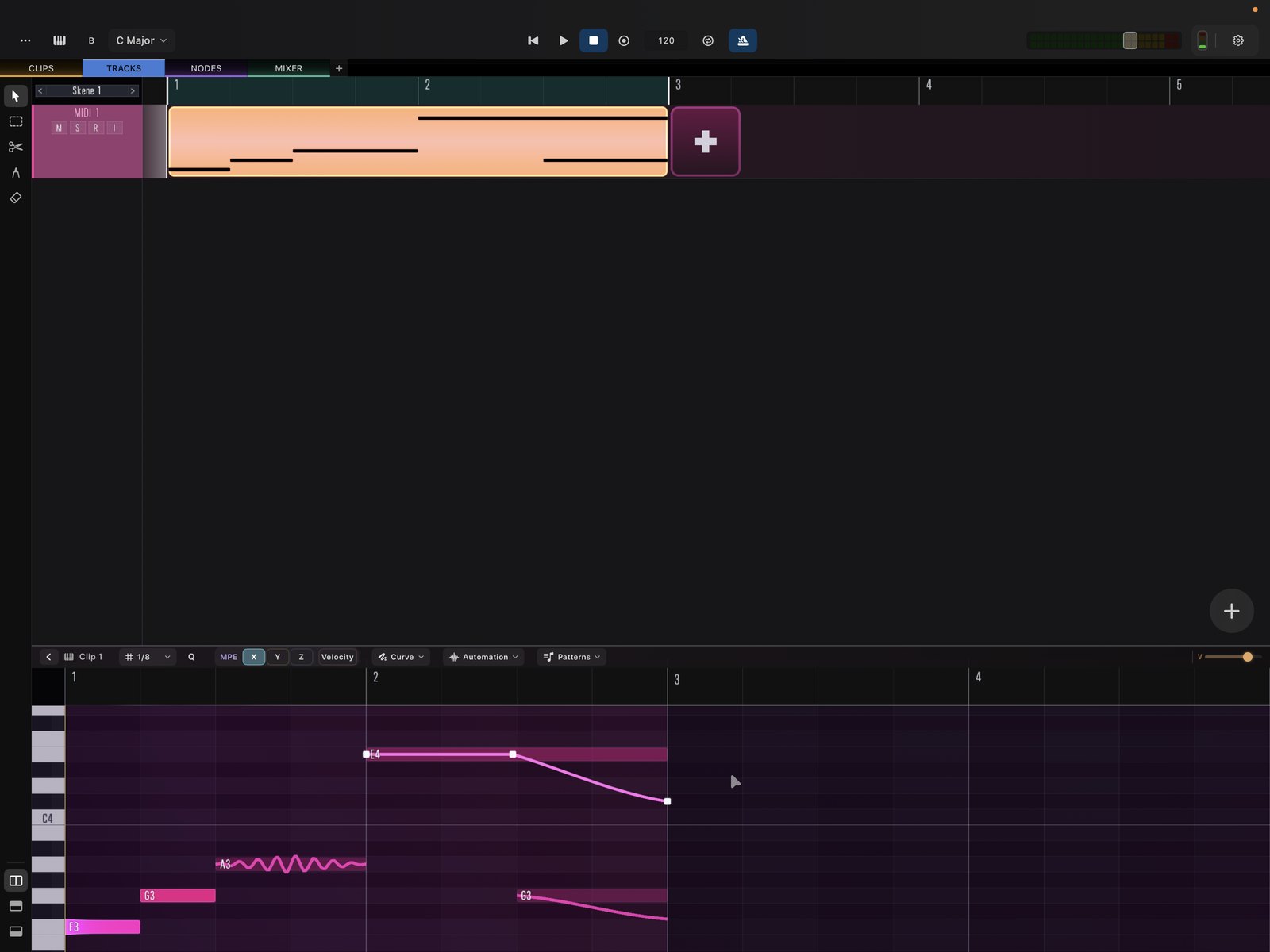
Vibrato can be applied per point with a tempo-synced rate, so you don’t have to draw each oscillation by hand.