
Art-Net Setup Beta
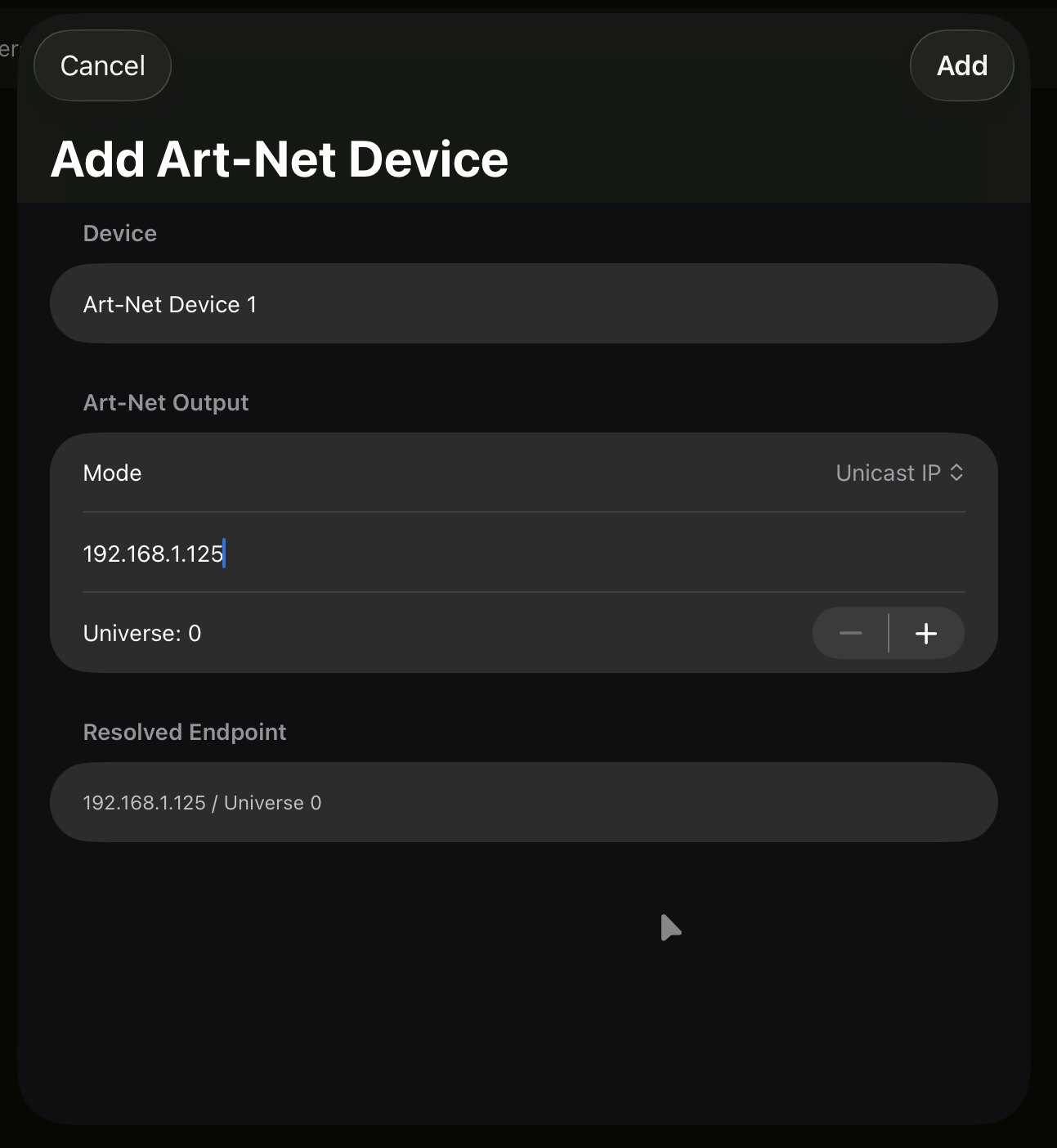
Add an Art-Net device and choose unicast or broadcast delivery.
Art-Net carries DMX512 over your local network, so a phone, tablet, or Mac can drive lighting interfaces (Art-Net nodes) without cabling the device itself. Add an Art-Net device to send a universe to it.
Unicast vs. broadcast
Art-Net can deliver packets two ways:
- Unicast (recommended) — sends each universe only to the specific node that needs it, addressed by its IP. This keeps network traffic low and predictable, which matters as you add universes and is especially important over Wi-Fi, where flooding the air with data causes dropouts and flicker. Use unicast for almost all setups.
- Broadcast / multicast — sends to every device on the network at once. It’s convenient when you don’t know a node’s IP or want quick, zero-config discovery, and it’s fine for a small, wired rig. On a busy or wireless network it wastes bandwidth and gets unreliable.
Rule of thumb: unicast by default; reach for broadcast only for quick tests or tiny setups where addressing each node by IP isn’t worth it.

Once the device is added, its universe is ready to receive your fixtures and channel map.